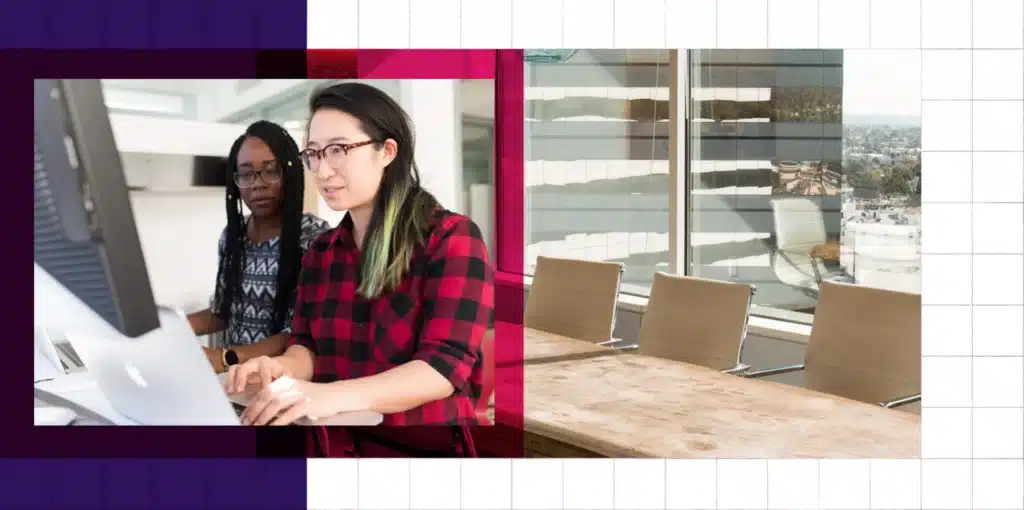
Technology in the classroom: love it, or hate it, it’s here to stay.

As we’ve been meeting college and university professors over the last number of months, one of the most common complaints we’ve heard is that students are bringing an array of devices to classes, including laptops, net-books, cell phones, Blackberries, iPhones and iPads.

The professors have stated that in most cases, they aren’t being used productively for the class they are attending, therefore serving as a distraction.

Is the student diligently taking notes about the lecture, or are they reading their friends latest Facebook updates?

Are they working on today's assignment, or tweeting about how engaging or maybe how boring the class is?

Are they reading material that’s been uploaded to the LMS, or are they working on moving up a level in World of Warcraft?

Clearly, as devices permeate lecture halls, the opportunity for distraction becomes rampant.

Virtually all college and university students have a cell / smart phone or laptop, and in most cases, both.

Many departments are even supplying their students with devices like Blackberries or iPads. Yet, to date, few are actually taking advantage of the devices in productive and academic focused methods.

Here are a few ideas that actually use their devices productively for academic purposes.

All of these are quick actions that with the right tool, can be easily triggered by the instructor at an appropriate time in a lecture.

Why not automatically push questions to student devices for them to work with and respond to, within a class? Once they’ve submitted their response, track and display the results, or use the results for marking or tracking class participation

Organizational cutbacks have significantly increased the average class size in recent years, and in many situations instructors have very few opportunities to informally assess comprehension of material.

The computing power of mobile devices has expanded dramatically over the last 5 years, yet, few programs and instructors have harnessed that power to improve the in class experience.

Why not poll the students to assess their understanding of a recent part of a lecture?

Rather than simply display a graph or chart and lecture about it, why not activate the learning process by pushing out a simulation to student devices, so the student can work with graphically rich simulations and demonstrations, so they can more completely understand the concept.

These are just a few of the interaction points we see, and have implemented within our monocleCAT system, however, we’re always looking to add to the list.

Do you have any ideas? We’d love to hear from you.

Patrick Batty

Senior Vice President

Bookmark and Share

It's been a few months since we offered our First Look at the iPad for Education.

Now that the iPad has been successfully launched it's probably an appropriate time to revisit it as a tool for education in either a live classroom setting, a blended program or a fully online eLearning program.

iPad in education

Clearly the iPad has captured people's imagination much more than any previous tablet. The form factor, high quality multitouch screen, and the temptation of over 100,000 apps in the app store have tapped a market, hungry for a easily readable, relatively lightweight device that lets one surf the net, email, work on documents, view and play videos and the numerous other functions the device is capable of. Admittedly, most of this is available on Blackberries, iPhones and other smart phones, but their physical screen size limitations simply make them not practical for many as a primary device for some of the above functions.

I believe this, along with build quality, reputation for excellence, as well as the simple cool factor is what triggers such an impressive initial month of sales activity for the iPad. There were over 1 million iPads, 12 million apps, and 1.5 million eBooks downloaded in the very first month of iPad availability.

The competition has taken note, and tablets are “slated” to be released throughout the year from Google, Reasearch in Motion (Blackberry), HP and Dell.

iPad for Education

Apple has courted the academic market since its inception. With the iPad it's no different. There have already been schools announcing free iPads to all new students, including Seton Hill University, George Fox University and Abilene Christian University.

I expect we'll see many more as the year unfolds. Apple is clearly going after the market. The idea of a classroom of college students using an iPad for note taking and numerous other functions is quite a visual.

Is the iPad a panacea for academia? Of course not. Certainly it’s lack of Flash capability introduces challenges for many schools and eLearning companies. (Although we’ve already dealt with it.)

For the good of all concerned, I’d love to see the Flash issue resolved, however currently there seems to be little, if any, public progress. Recently, Adobe has taken out full page advertisements in a number of national newspapers, stating their case. We’ll see it these two giants can work this out for the benefit of their customers.

Please let us know your thoughts on how iPad can be used in educational settings.

As always, we'd love to hear from you.
Patrick Batty
Senior Vice President

About Top Hat Monocle

At Top Hat Monocle, we’re very excited about iPads and are already seeing iPads used a tool for student / instructor interaction in conjunction with our tool monocleCAT.

monocleCAT is available FREE to instructors and institutions.

Instructors can quiz, question, or poll students to get immediate feedback and / or assessment of students understanding of material. Instructor can also enable personal interactive simulations to allow students to work and interact with material on their own device, thereby promoting a more active learning environment, which typically promotes better retention of information.

monocleCAT works with PC’s, Mac, iPad, iPhone, iPod Touch, Blackberry, Google Android with cell phones via SMS.

If you wish to see monocleCAT in action, feel free to contact us or join one of our upcoming webinars.

Come see a live demo

See our free webinars

Bookmark and Share

Over the years, instructors have been increasingly searching for methods to make their classes more engaging.

As well, students, used to fast paced technology, and working in brief sound bytes in their private life, have become frustrated with lengthy lectures, with very few opportunities to interact. We’re not trying to generalize, and clearly some instructors actively promote active learning and class participation, but not all.

Some times class size is a barrier.

Some instructors and schools have started to promote the use of “clicker” type devices to poll students. This makes it easy monitor whether the live instruction is effective, by immediately questioning students following instruction on particular points. At that point the instructor has feedback on whether the students are gaining comprehension about the instruction.

Occasionally full quizzes are done interactively as well.

Although, using clickers has some advantages over no device at all, it also has some limitations.

Most clickers do not have any display component on them and also, simply allow the student to push a button, A, B, C, or D in response to a question.

Improved technology and some creative minds are now allowing schools to move beyond simple clickers.

Come see a live demo

See our free webinars

The proliferation of mobile devices, such as laptops, smartphones, mobile phones and even the new iPads offer much more capability than a simple response based clicker. Our research is showing that about 99% of university and college students in North America have at least one such device.

Other than simple mobile phones, the other devices all have graphical capabilities that can allow for display and even interaction with elements the instructor has presented. This means students can actually work with content on their own devices, rather than simply respond to questions with a clicker.

When a question is offered, they can also immediately respond, and results can be aggregated for the class.

So, many of you may wonder how you can do this.

A new product is about to be released free to schools and instructors that do all of the above and more.

Mobile Devices for College Class Interaction

monocleCAT has been released as a pilot program with a number of classes since January.

We are about to open monocleCAT up to more schools and instructors. The system free to schools and instructors, and very easy to implement and use.

With monocleCAT, students can interact via virtually any mobile device, connected via wifi, or even via text messaging from simple mobile phones.

On wifi enabled smartphones, tablets and laptops, students have full interactive demonstration capability, and can respond to all questions and quizzes, both graphical and text. On simple mobile phones, students can respond via text message.

The result is a much more engaging, active learning process, and one which provides IMMEDIATE FEEDBACK to the instructor.

We'd be happy to show it to you in detail. Feel free to join one of our upcoming webinars.

Our next webinar is: Using Mobile Devices for Class Interaction Tuesday, May 18, 2010 2PM EST (GMT -5)

Come see a live demo

See our free webinars

We'd love to hear your feedback.

Patrick Batty

Senior Vice President

Bookmark and Share

Apr 29
2010

Generic Preloader

Posted by Mike Silagadze in Company

After trying to get a generic preloader working for the last 2 weeks I've really delved into the ugly underbelly of flash. Sure it does pretty animations easily but it's very limiting for anything low level. It turns out that in the evolution from ActionScript 2 to ActionScript 3 a lot of animations (including some of ours) were created the “wrong” way and don't wait for a stage to be added. If you're creating a normal SWF this is fine and everything runs as it should but if you want to load this SWF from a preloader you get the infamous error #1009 because flash tries to access the stage before it exists.

Now considering we wanted a preloader that can load any SWF this posed quite a problem for us. So working with the team we discovered a way to precache the file and then load it normally from the cache. The effect was surprisingly fluid and worked well for files in the +10mb range. As result we eliminated a lot of code on the server side while giving the user accurate feedback of how much of the SWF has been preloaded.

// Flash snippets for a basic generic preloader
import flash.net.URLLoader;
import flash.net.URLRequest;
import flash.events.*;
import flash.system.Security;
import flash.external.ExternalInterface;

public function init()
{
    Security.allowDomain("*");      // Allow all domains

    // Get the URL from the flash vars loadSWF which is set by javascript
    var urlSWF:String = this.root.loaderInfo.parameters.loadSWF;

    // Create the URLLoader and add event listeners
    var netLoader:URLLoader = new URLLoader();  
    netLoader.addEventListener(Event.COMPLETE, loadingComplete);    
    netLoader.addEventListener(ProgressEvent.PROGRESS, loadingProgress);            
    netLoader.addEventListener(IOErrorEvent.IO_ERROR, loadingIOError);

    netLoader.load(new URLRequest(urlSWF)); // Load the SWF
}

public function loadingComplete(e:Event)
{
    // If the swf is on a remote server then send complete command to Javascript
    if (Security.sandboxType == "remote")
        ExternalInterface.call("js_completeSWF", urlSWF);
}

public function loadingProgress(e:ProgressEvent)
{
    var intPercent:int = int((e.bytesLoaded / e.bytesTotal) * 100);
    // Code to update progress bar
}

public function loadingIOError(e:IOErrorEvent)
{
    // Code to handle I/O errors
}

Now the key to the above code is flash does not try to open the SWF but rather it uses URLLoader to cache the SWF in memory. Then when it's done it lets javascript know by calling js_completeSWF which causes the server to close the preloader and load the SWF from memory. Here's the javascript-side kindly provided to me by our resident web guru Matt.

// Javascript snippets for a basic generic preloader:
this.embedSWFObject_after_yield = function embedSWFObject_after_yield(data, args) {

    //setup demo_url_dict to keep track of data for demo after it has been loaded by the preloader
    demo_url_dict[args.demo_url] = [target_id, args.flashvars];

    //load flash vars into preloader, can be moved into server-side
    args.flashvars["loadSWF"] = args.demo_url;;
    swfobject.embedSWF(url_string, target_id, "480", "320", "9.0.0", "", flashvars, { wmode:'opaque', allowscriptaccess:'always' }, {}, swf_load_callback);
}

//For the demo preloader, is called when demo has finished loading the file, and is thus now in cache
function js_completeSWF(urlString) {    
    var target_id = demo.demo_url_dict[urlString][0];
    var flashvars = demo.demo_url_dict[urlString][1];

    //replace demo_target and embed swf straight up
    $("#"+ target_id).replaceWith("<div style='height: 480px; width: 320px;'></div>");

    var swf_load_callback = function(e) {
        var timer_id = setInterval(function(){
        try {
            if (document[target_id].PercentLoaded() == 100){);
                //clear timers associated with this demo or else they will continue to fire
                clearInterval(timer_id);            
            } 
        } catch(e) {
            //do nothing for now, exception happens when document[target_id] is null and a method is called on it
            }, demo.flash_demo_loading_check_period);
        }
        swfobject.embedSWF(url_string, target_id, "480", "320", "9.0.0", "", flashvars, { wmode:'opaque', allowscriptaccess:'always' }, {}, swf_load_callback);
        delete demo.demo_url_dict[urlString];
}

Bookmark and Share

Since the dawn of the Google App Engine developers have been plagued with a terrible curse. This curse has made it impossible to have secure logins for third party domains - so if you wanted to have secure logins on your site you'd have to redirect your users to the scammy looking URL https://yourapp.appspot.com, thereby massively reducing your street cred with the developer community. For shame Google! for shame!

But no more! here's a solution, with example code for Django.

The trick here is to login via AJAX on the secure domain at https://someapp.appspot.com (so the user never sees the URL and thinks you're phishing them) return the session id, and phony up your cookies for the http domain so it looks like you logged in through there.

So let's see how it's done.

On the javascript side, you do like so:

var username = 'joe'
var password = 'abc123'
var post_url = 'https://myapp.appspot.com/super_secret_login'
$.getJSON(post_url, {'username':username, 'password':password}, function(data){
    //phony up the sessionid
    session_id = data.sessionid;
    document.cookie = 'sessionid='+session_id+'; expires=Tue, 1 Jan 2030 20:00:00 UTC; path=/';
    window.location.reload();
});

On the Django side you do like so:

def super_secret_login(request):
    if request.method == "GET":
        #authenticate user
        form = AuthenticationForm(data=request.GET)
        if form.is_valid():
            login(request, form.get_user())

            #get session id and return it to user
            session_json = '{"sessionid": "'+request.session.session_key+'"}'
            response = request.GET['callback']+'('+session_json+')'
            return HttpResponse( response, mimetype = 'application/json')
        else:
            return render_to_response( 'error.html', {'message':'login invalid'}, context_instance=RequestContext(request) )
    else:
        return render_to_response( 'error.html', {'message':'http request invalid'}, context_instance=RequestContext(request) )

You're welcome Google.

Bookmark and Share

Older